
Overview
The Private Island Explorer (PI-EXP) Web Server provides a browser-based user interface (UI) to a Private Island (PI) FPGA-based node via an Ethernet LAN. The server is intentionally light weight and currently relies on the aiohttp Web framework to serve pages to a browser and also exchange information via a WebSocket interface. This in-progress article describes the goals, features, setup, usage, dependencies, and design of the project.
The opens source PI-EXP Python project can be cloned from our local Git server.
Overview
The PI-EXP project is developed with Python and various Web technologies, such as JavaScript, HTML, and CSS. The Web server relies on the aiohttp Web framework to serve HTML pages and provide other core Web server support, such as template and context processing.
The Python PyShark library and tshark network traffic analyzer are utilized to capture responses from the FPGA's embedded soft controller and packets generated from various FPGA blocks, such as the Machine Learning Engine (MLE).
The figure below depicts how the PI-EXP server interfaces with a PI Node. The user interface is provided via the browser and enables the user to send queries via the LAN to the controller for various purposes and also receive packets / messages that are triggered automatically depending on how the PI node is configured.
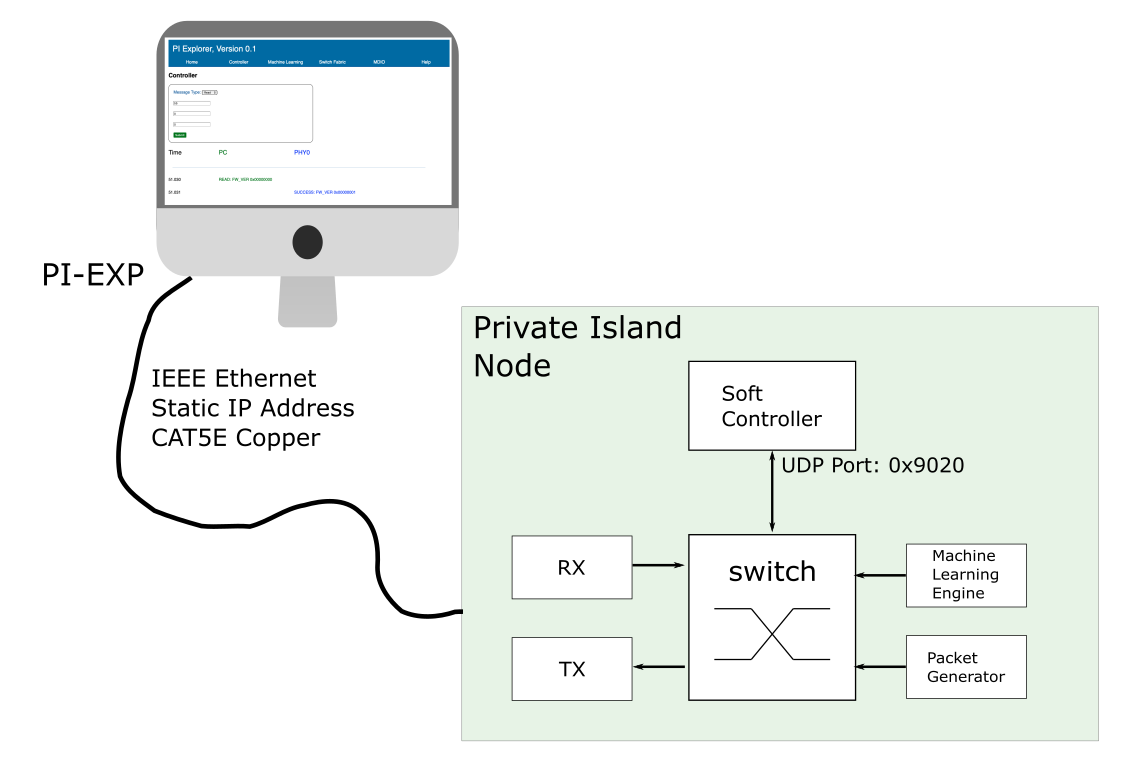
The data exchanged between the PI-EXP server and the PI node is encapsulated in UDP/IP. The message protocol for the controller is defined in the following article: Networked Controller for FPGA Open Source Project.
Keep in mind that the embedded controller has a predefined (locally assigned) MAC, (static) IP address, and receive (RX) UDP port. The defaults for the Betsy project are listed in the table below.
| MAC Address | 02:0A:0B:0C:0D:01 |
| IP Address | 192.168.5.100 |
| Controller RX UDP Port | 0x9020 |
The default embedded controller will not reply to ARP requests on the network. This is advantageous for network security concerns and also to minimize the complexity of the controller's implmentation. Therefore a static ARP mapping is required on the PC executing the PI-EXP server. For configuration on Windows, refer to the forum post: how do I assign a MAC address to a remote IP address?
If you have set up a PI Node on a test network without a DHCP server, you will need to assign a static IP address to the PC executing the PI-EXP server. For static IP address configuration on Windows, refer to the article: Configure a Windows PC to use a Static IP Address
PI-EXP Views
The sections below explain the various views provided by the PI-EXP UI. Note that these are all in various stages of development.
Home
Stage: concept
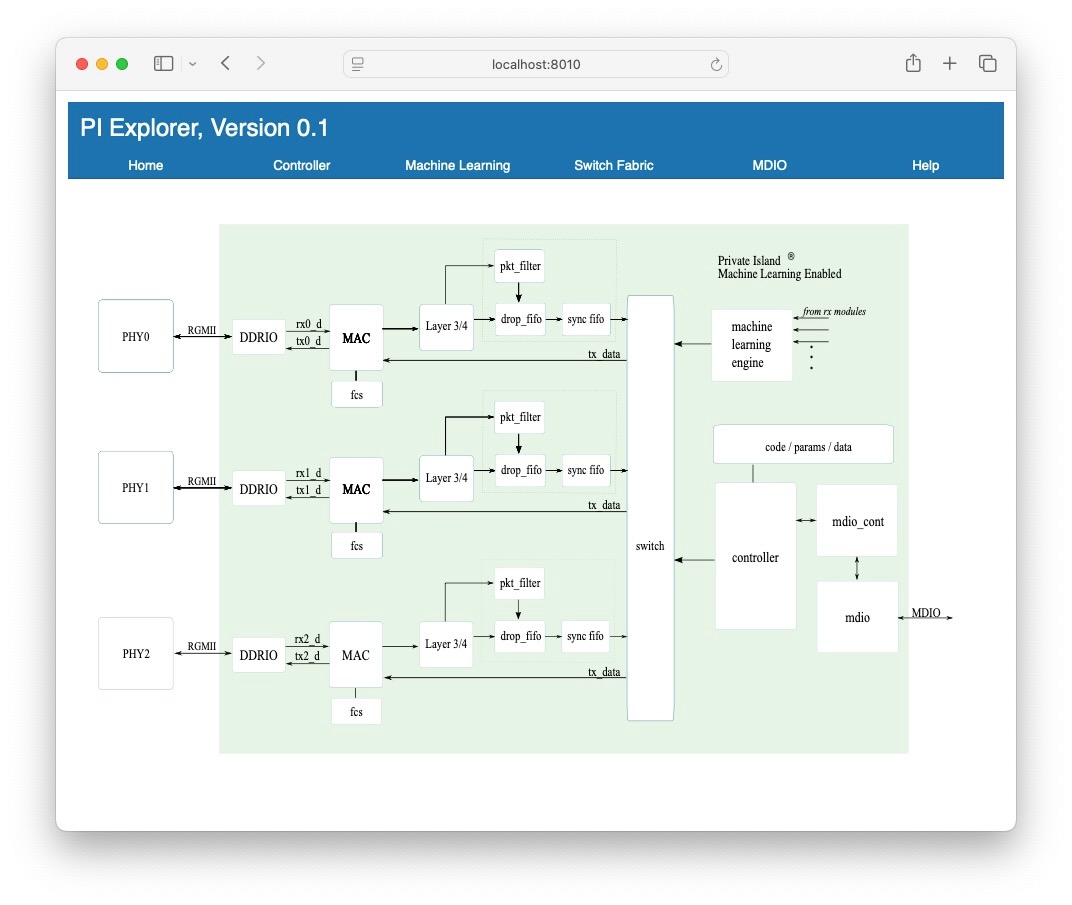
Provides overall status of PI node and a graphical, interactive view of the internal PI modules within the FPGA. Supports clicking on modules and redirecting to the associated UI view.
Controller
Stage: prototype
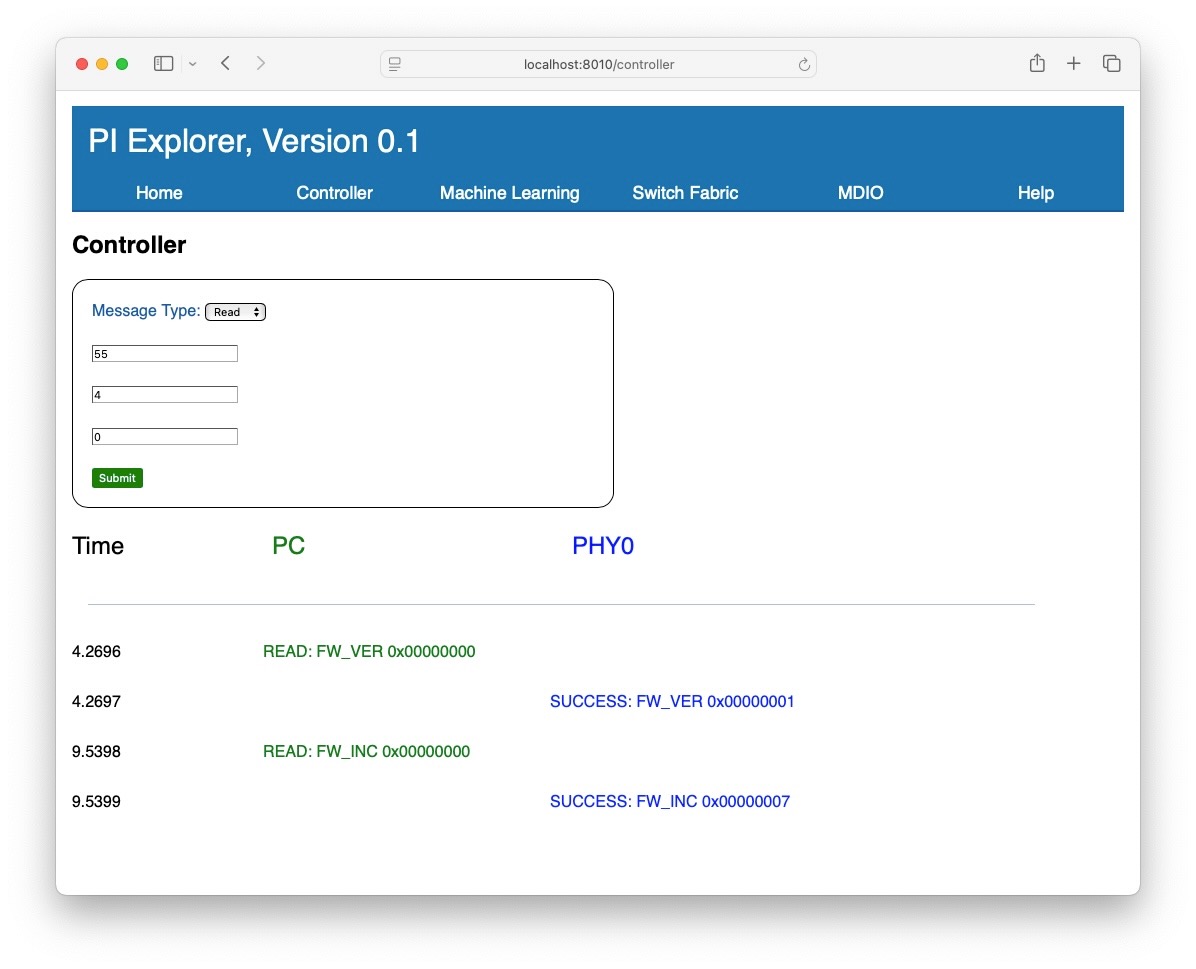
Use this view to send individual read and write messages via the LAN to the controller. Note that accessing certain addressable space can trigger additional action, such as accessing MDIO registers within an Ethernet PHY.
Machine Learning Engine
Stage: concept
This view currently logs vectors (packets) generated by the MLE. Future uses of this view may be to integrate inferencing and its results.
MDIO
Stage: prototype
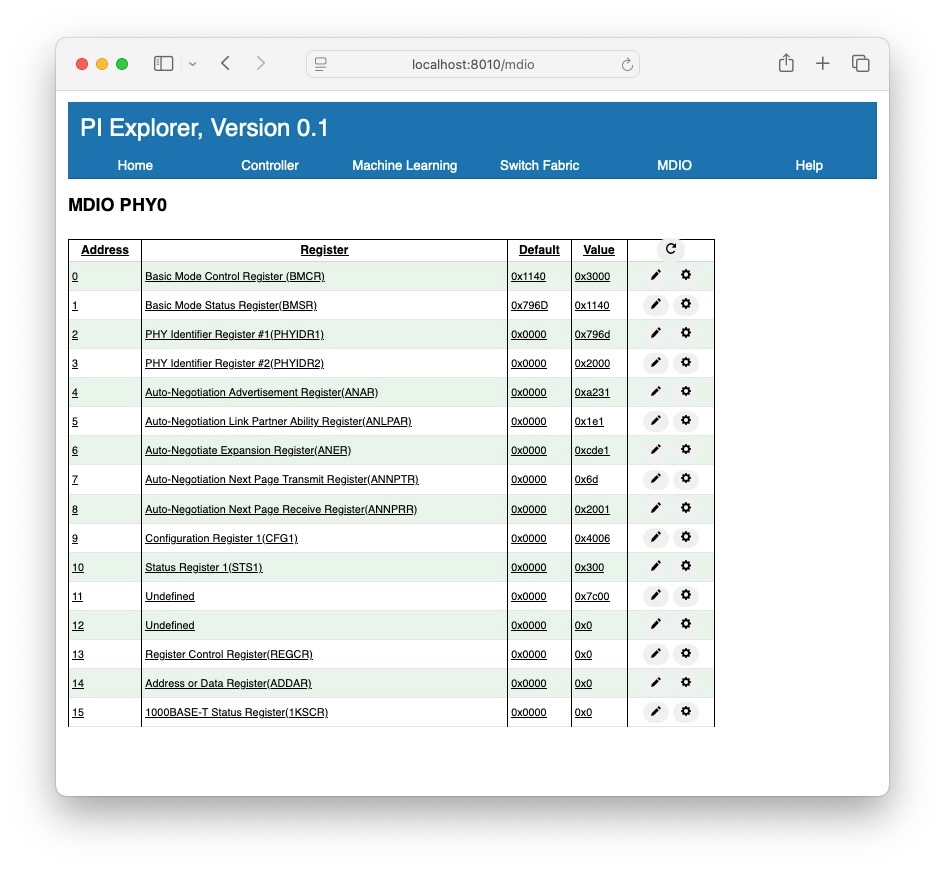
This view currently performs a quick scan of the Ethernet PHY's internal registers via its MDIO interface. Refer to the PHY's datasheet for the definition of each register.
Note that at the time of testing this feature there is an address skew in the registers by one. This appears to be in the FPGA image and requires further investigation.
Switch Fabric
Stage: not started


