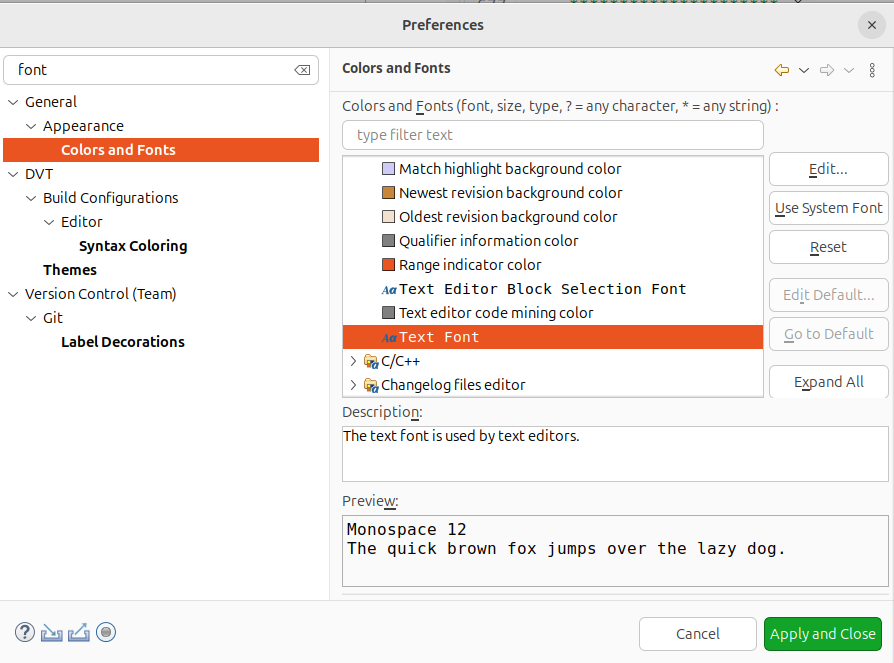
How do I change font size in Eclipse?
Aug 15, 2025
asked by anonymous
Question / Issue:
Hello, I'm using SVEditor in Eclipse to edit Verilog source. Keyboard shortcuts aren't working to change font size. Any suggestions?
share


subscribe to mailing list:
Responses:
Date: Aug. 15, 2025
Author: Private Island Networks
Comment:
Window -> Preferences. Type Font in the search box. Select Basic and then "Text Font". You can then edit the font size using the Edit button. See attached screenshot.