
Overview
This article reviews setting up and running a simulation of the Private Island ® open source project for the Betsy™ maker board using Questa, Altera FPGA Edition.
This article is current as of Git commit 2d959062 and assumes the use of Windows 10 / 11 for running the Questa simulation.
Betsy is powered by the Altera Cyclone 10 LP FPGA . Either Quartus Prime Standard or Lite can be used to build & test the project and to simulate it with Questa. In both cases, Questa can be installed when installing Quartus. This article was written using Quartus Standard 25.1std.0 and Questa Altera Starter FPGA Edition-64 2025.2.
Quartus Prime Standard requires a license, and Questa (Altera version) requires a free license, which can be obtained at the Altera Self Service Licensing Center (SSLC). After installing Questa, make sure you set the SALT_LICENSE_SERVER environment variable to point to your license file.
After installing the Altera & Questa tools, you next need to clone the Private Island project from our Git server. Note on Windows, we recommend the use of Git for Windows.
$ mkdir -p /c/Projects/PrivateIsland

$ cd /c/Projects/PrivateIsland

$ git clone https://privateisland.tech/repos/cgit.cgi/privateisland

$ cd privateisland

$ pwd
$ /c/Projects/PrivateIsland/privateisland
Note that the Questa project file supplied in the Private Island project (betsy.mpf) uses absolute paths for the source files. We recommend using the same path as shown in this article. Otherwise, you will need to manually edit the betsy.mpf file to change the path locations.
Running Questa
At this point, you should have installed the Altera tools, obtained & set up any required licenses, and cloned the Private Island project to a local folder. The next step is to launch Questa.
Once Questa has fully opened and provided a "Questa>" command line in the transcript window, use the File menu to open the Betsy.mpf project file located in "C:\Projects\PrivateIsland\privateisland\manufacturer\altera\cyclone10_lp\sim\win". It is best to set the file selection box to "Project Files (*.mpf)" when trying to locate the project file. Once you have successfully opened the project, your Questa window should appear similar to as shown in the figure below.
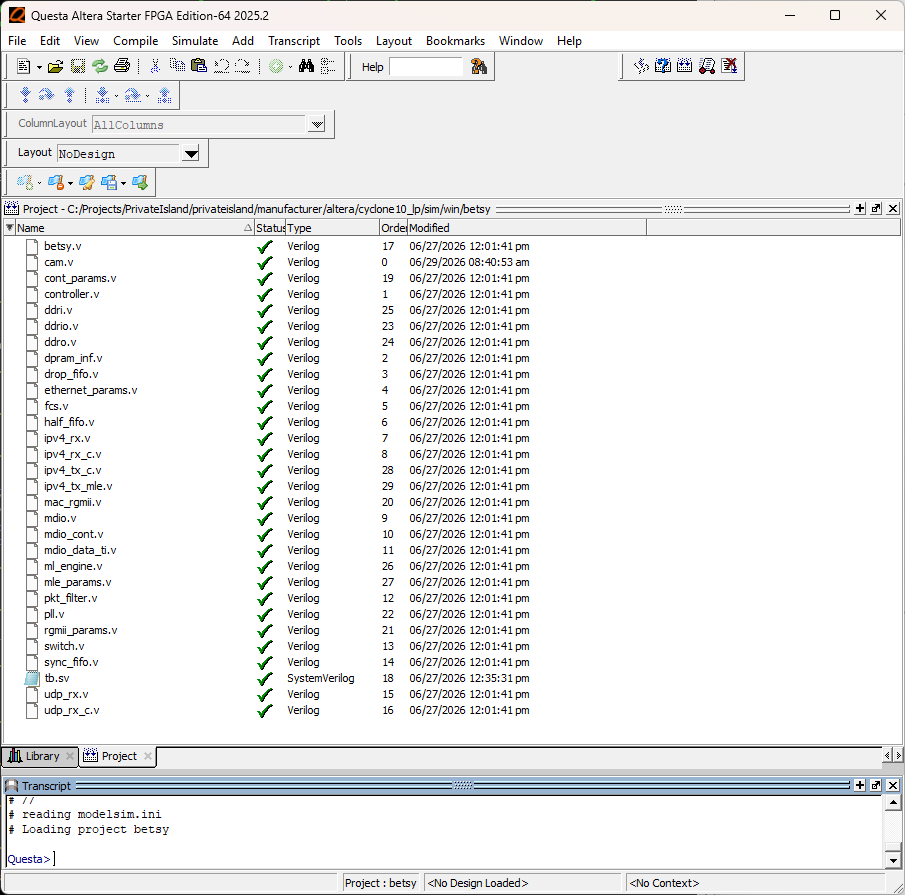
When first opening the project, the check marks shown will instead appear as question marks. You will see the checkmarks after successfully compiling each file.
Compile all files using the menu item Compile->Compile All
Return to the transcript window and run the following do script:
Questa> do ../sim.do
Assuming everything compiled and loaded properly, the "Questa>" prompt should be replaced by a "VSIM>" prompt in the transcript window, and the simulation should be fully loaded. At this point, you can manually add variables to the Wave window. However, it is best at first to load one of the saved wave do scripts:
VSIM> do ../wav/wave_etoe.do
The next step is to run the simulation.
VSIM> run 15 us
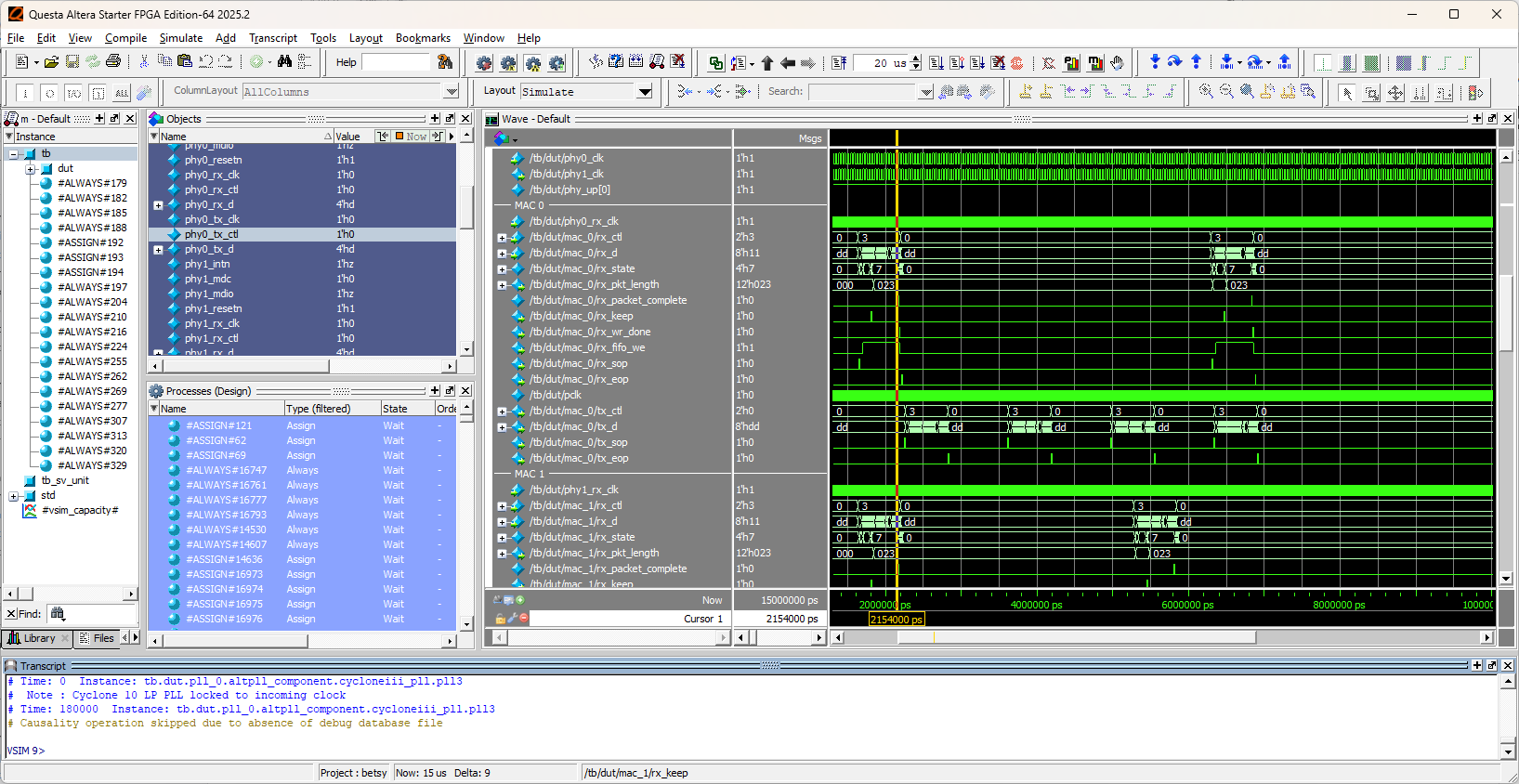
If everything worked as expected, you should see four Ethernet packets transmitted by each of the three MAC modules included in the Betsy project. Note that critical variables from each of the MAC modules are displayed in the Wave window. The packets are driven by the test bench file (tb.v), and the packet data is defined by each of the etoe#.dat files in the sim/data folder.


